
Duplicate photos
Identical files, byte for byte. The safest space to win back.

Android · Google Play Tiếng ViệtDeutsch日本語PolskiNederlands
Duplicate Photos Remover scans your gallery on your phone and shows how many GB you can free before you delete anything. It finds duplicates, similar shots, possibly blurry photos, screenshots and the photos your chat apps saved. You choose what goes, and everything you delete can be restored for 30 days.
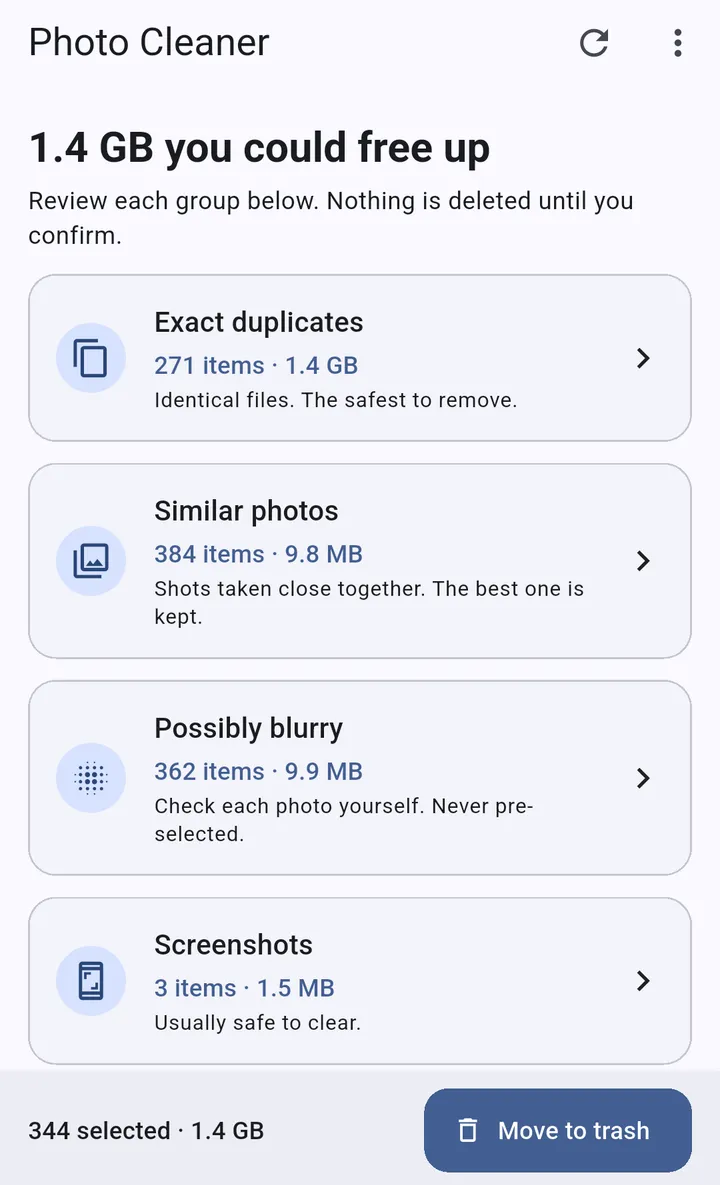
Scanning is free and unlimited. You see the real number first, then decide.
Identical files, byte for byte. The safest space to win back.
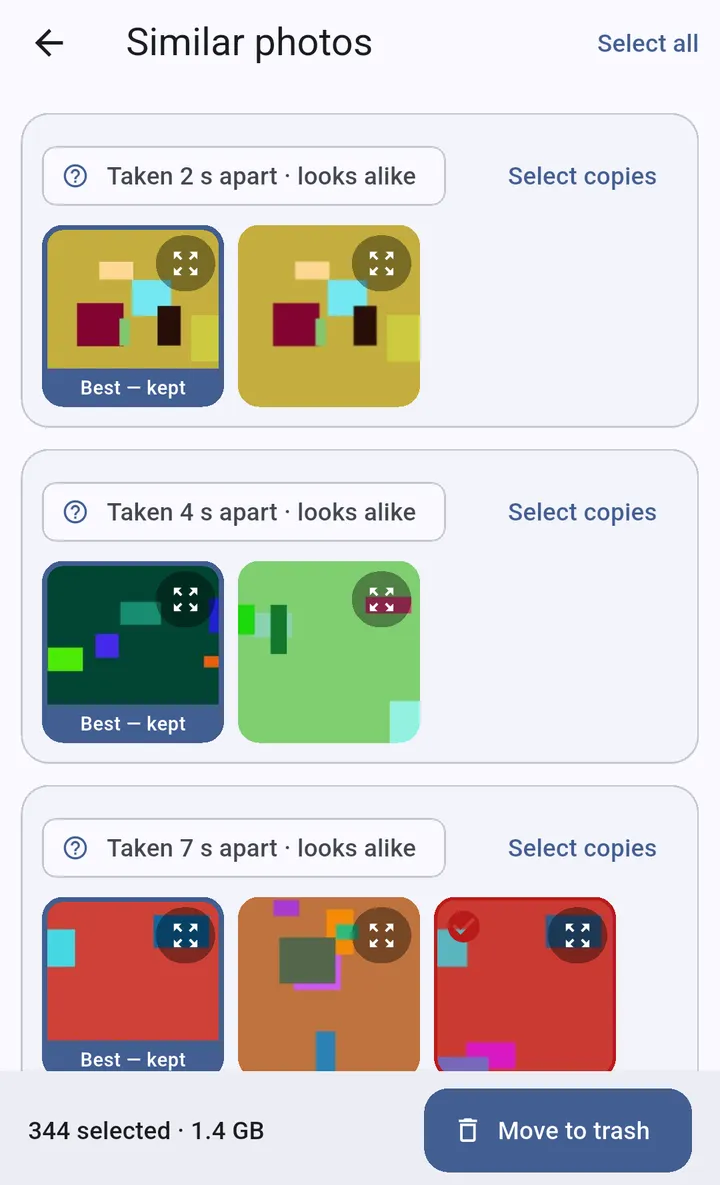
Burst photos of the same scene. The app suggests keeping the best one.
Old, forgotten and surprisingly heavy.
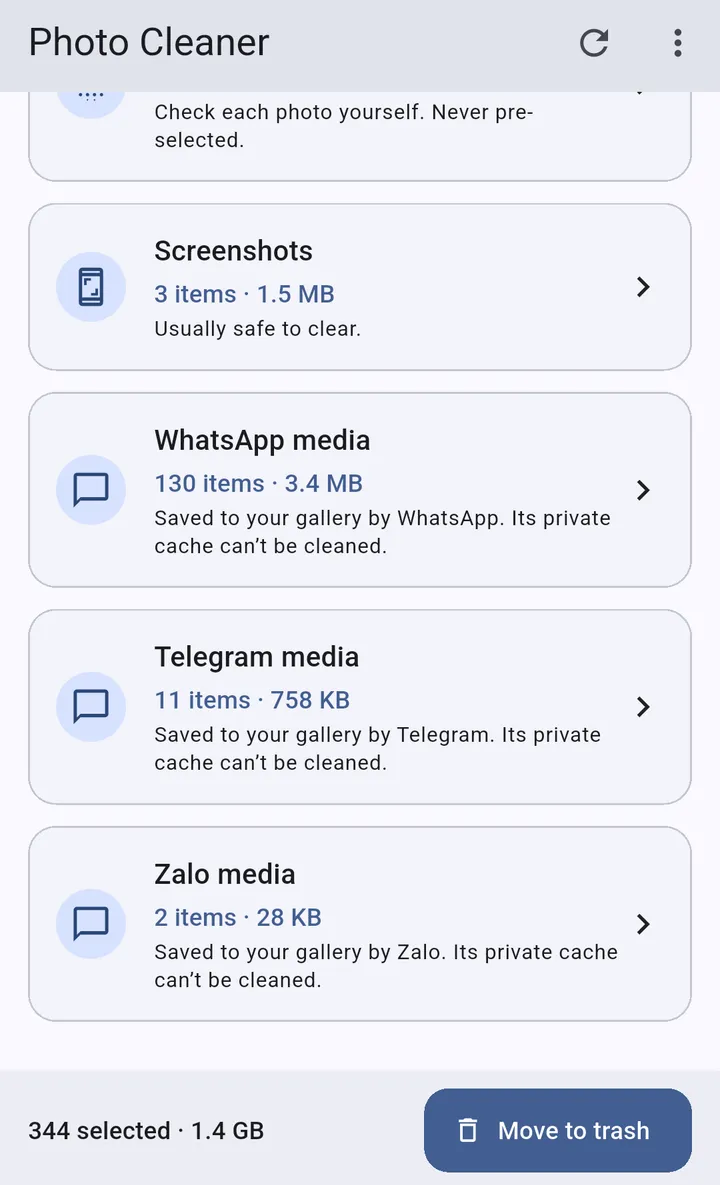
What WhatsApp, Telegram, Zalo, LINE and more saved to your gallery, grouped per app with the space each one takes.
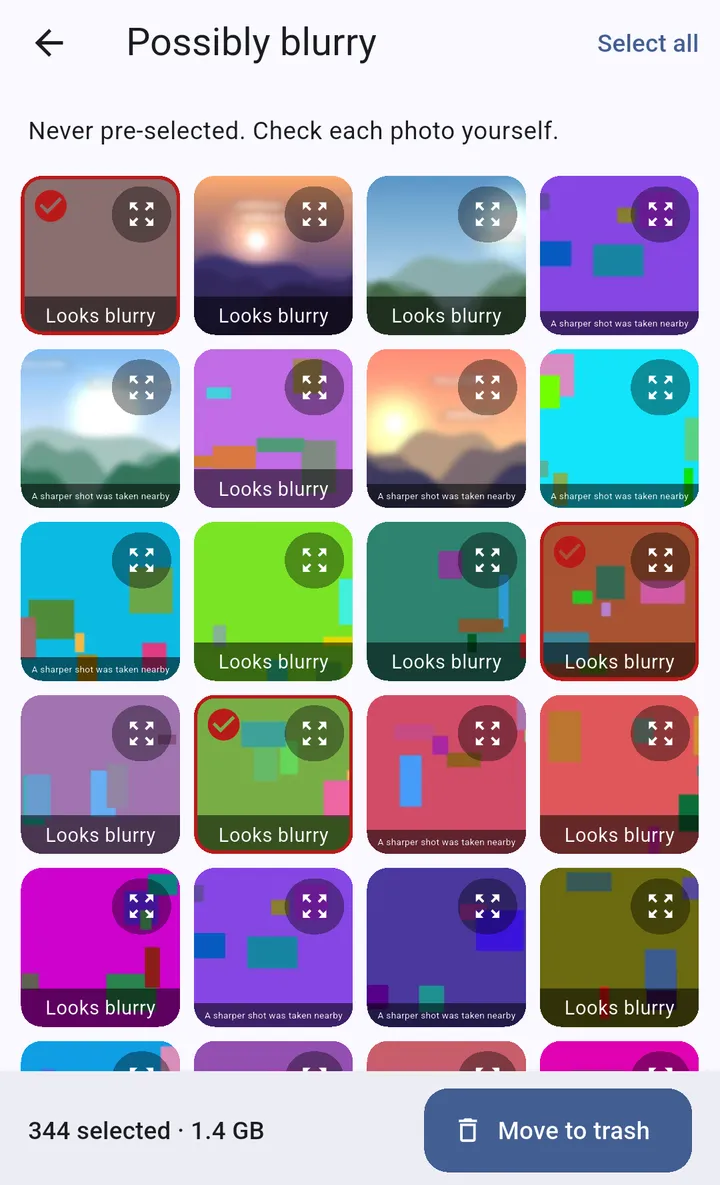
Shown for you to review. They are never selected automatically.
Videos over 100 MB that take up the most storage.
Videos recorded from your screen, biggest first. You may have forgotten them.
Go through your photos one by one and swipe away the ones you do not need.
Duplicate Photos Remover never deletes a photo for good. When you confirm, Android moves the selected items to its own system trash.
Scanning runs on your device. There is no account and no sign-in, and your photos and videos are never uploaded. The app collects anonymous usage statistics (Firebase Analytics) and shows ads; purchases are handled by Google Play. The privacy policy lists exactly what each part receives.
Both paid options are one-time purchases. There is no subscription.
Scanning, selecting and deleting never show an ad. The only other ad is a rewarded one you choose to watch for extra cleaning space.
No. In each group the app keeps one photo and only marks the extra copies. You see which one stays before you confirm.
Yes. Deleted photos are moved to the Android system trash, where they stay for about 30 days. Restore them from your gallery app.
No. Duplicate Photos Remover scans your gallery on your phone. Your photos and files are never uploaded and no account is needed.
To compare your whole library and find duplicates and similar shots. Choosing a few photos is not enough to tell which ones match. The app only reads them. On Android 14 and later you can allow selected photos only, and the app then works on those.
It cleans the photos and videos those apps saved to your gallery. From Android 11 one app cannot touch another app's private cache, so clear that part in the chat app's own storage settings.
It depends on your phone. Scanning is free, so you see the real number in about a minute before deleting anything.
Scanning is free and unlimited, and you can clean up to 1 GB per month for free. Free users see a banner ad on the results screen and can watch an optional rewarded ad for +500 MB of extra cleaning (up to 4 times a month). Pro is a one-time purchase, not a subscription, that removes the ads and the monthly limit. Remove ads is a smaller one-time purchase that only hides the banner.
Duplicate Photos Remover is an independent app and is not affiliated with WhatsApp, Telegram, Zalo, LINE or any other chat service.