Namaz Time

Free on Google Play · Android 7 and up

Namaz times that match your masjid

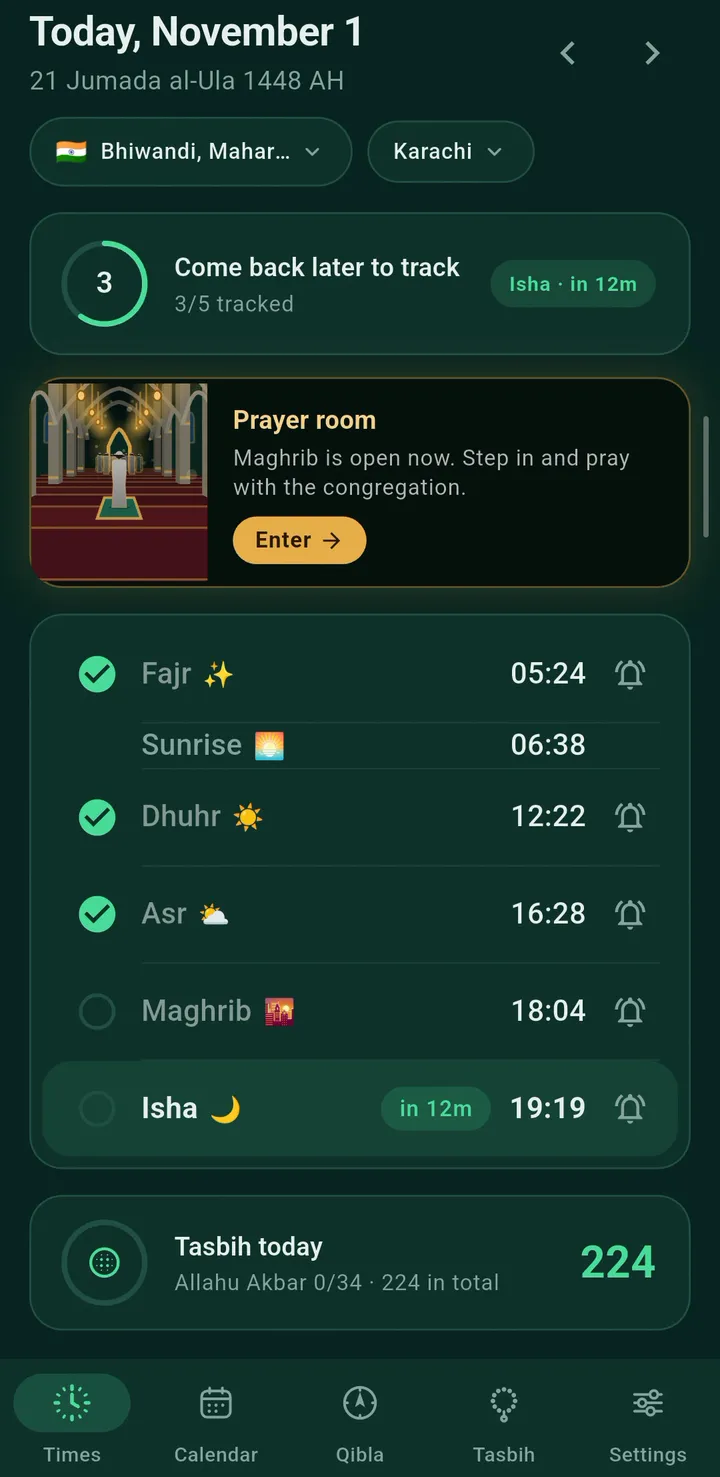
Fajr to Isha for your own city, calculated on your own phone. Shift any prayer a minute at a time until the app agrees with your masjid, then watch it keep working when your mobile data does not.

Get it free on Google PlayComing soon on theApp Store

No account. No sign-in.

  • Works fully offline
  • 9 languages, Urdu right-to-left
  • Ads only on secondary screens
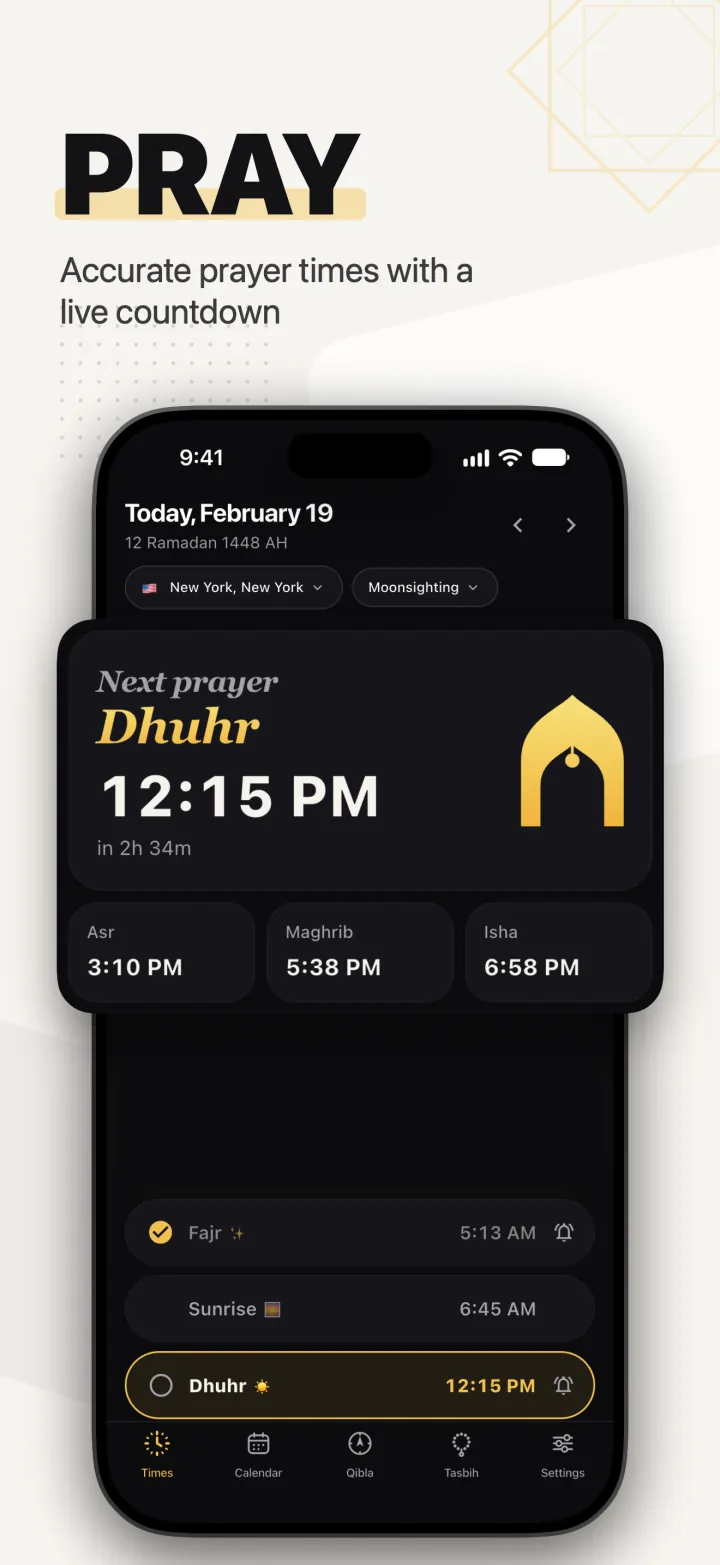
Namaz Time showing today's prayer times with a countdown to the next prayer

Most prayer apps get Asr wrong for you

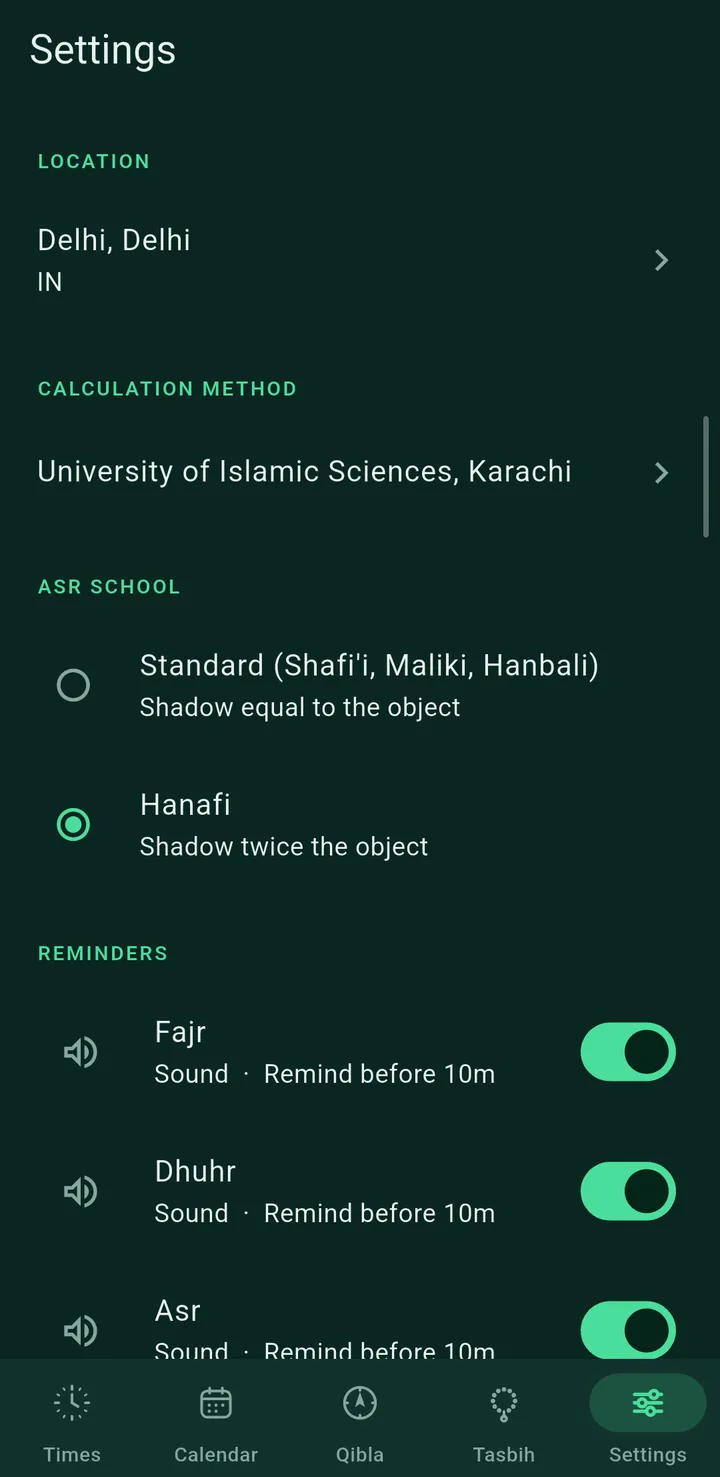
Asr differs by more than an hour between the Hanafi and Shafi’i schools. An app that quietly picks one for everybody is wrong for half the people using it, every single day, and you only find out when you arrive at the masjid and jamaat is over.

Namaz Time asks which school you follow the first time you open it, and remembers the answer. That is the first question the app asks, not a setting buried six screens deep.

What is inside

Built by someone who cares whether the times are right

Every one of these exists because a calculated prayer time and the time your masjid actually calls adhan are not the same thing.

The authority your region actually follows

University of Islamic Sciences Karachi for India, Pakistan and Bangladesh. Umm al-Qura for Saudi Arabia. Egyptian General Authority, Muslim World League, Diyanet for Türkiye, MUIS / Kemenag / JAKIM angles for Southeast Asia, ISNA and the Moonsighting Committee for North America. Change it whenever you like. See how each calculation method works.
Minute-by-minute adjustment

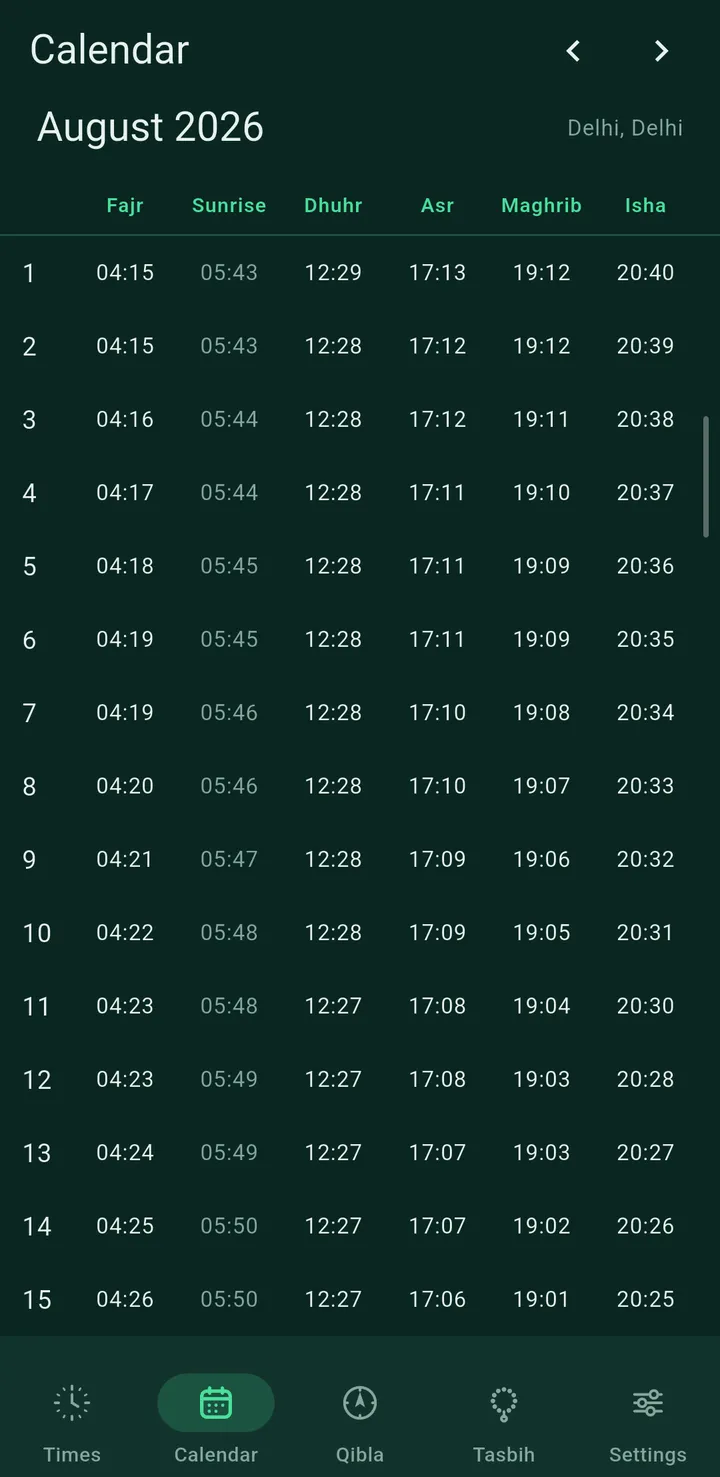
If your local masjid runs three minutes behind the calculation, shift that one prayer by three minutes. Each prayer adjusts on its own, so the whole timetable ends up matching what you actually hear.

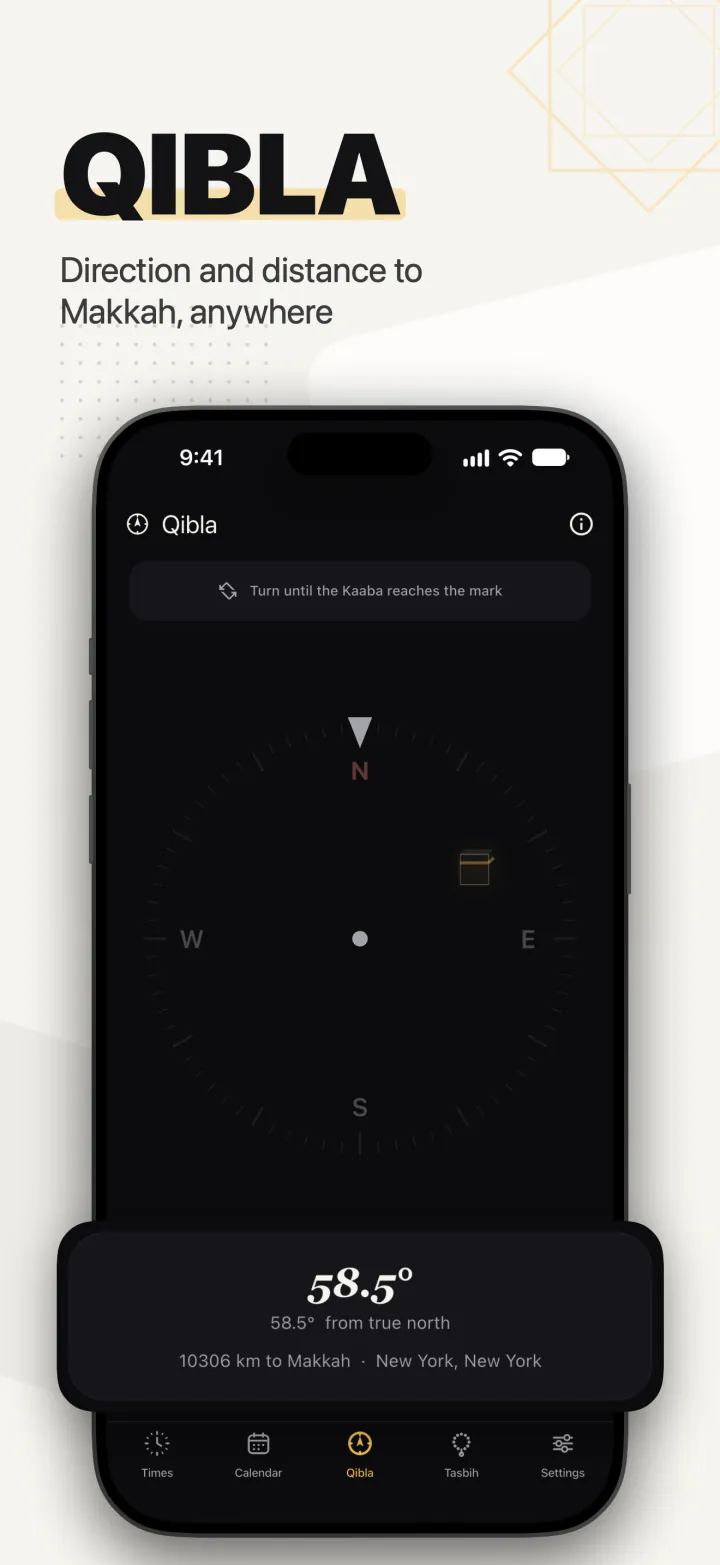
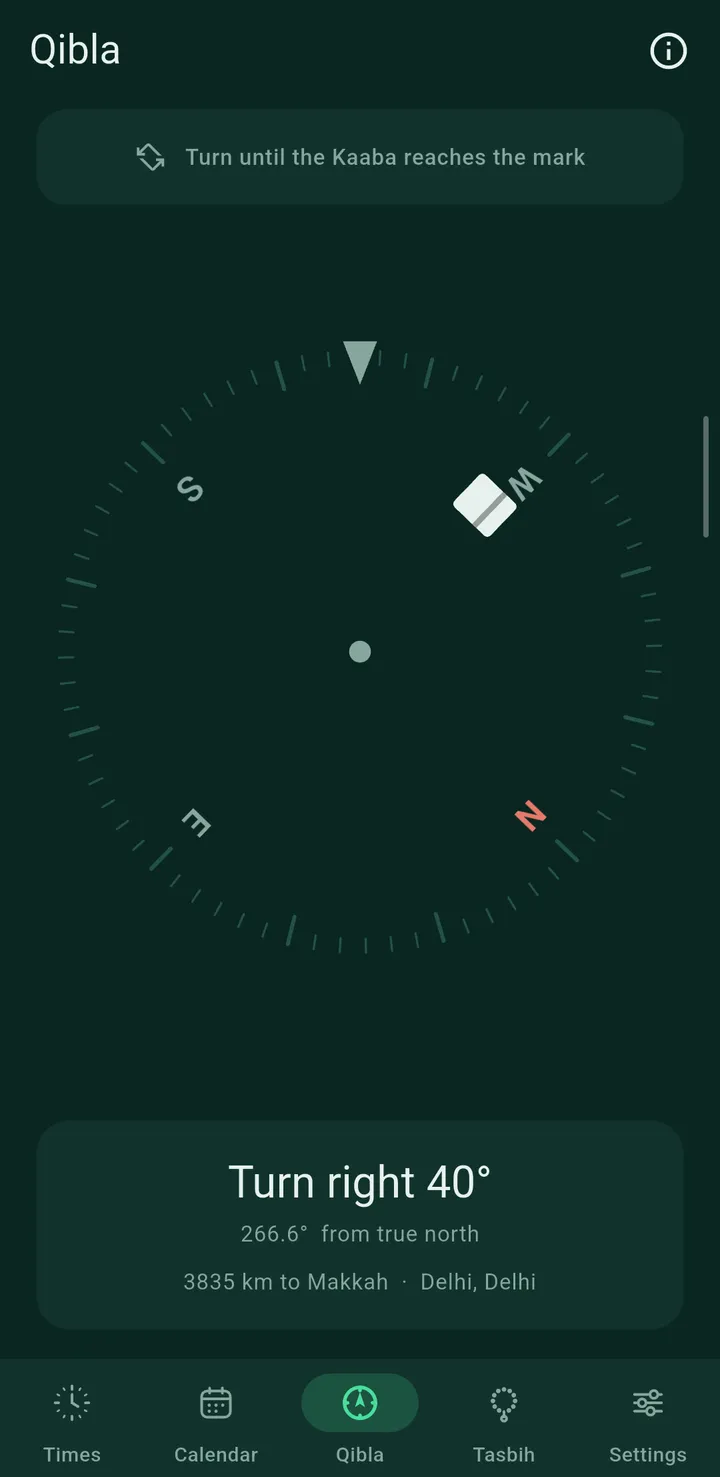
Qibla that points to true north

The compass corrects for magnetic declination, so it points at the Kaaba rather than at magnetic north. On phones without a compass sensor, every other part of the app still works.

A Hijri calendar you can correct

Local moon sighting and calculation often disagree, so the Hijri date shifts by up to two days in either direction. Set it once and the calendar follows your community.

Reminders that actually arrive

If your phone kills background apps to save battery and your adhan reminders go quiet, a diagnostics screen tells you exactly what is blocked and opens the right settings page for your phone’s brand. Read the fix for Xiaomi, Oppo, Vivo and Samsung.

Also inside: an offline Quran (Uthmani Arabic script with English translation), daily Duas, a 3D prayer room with tasbih counter and haptic feedback, optional Sunnah prayer reminders (Tahajjud, Ishraq, Duha, Awwabin), a Zakat calculator and Qada tracker, prayer logging with a daily streak, and home screen widgets for the next prayer and Ramadan countdown.

See it before you install it

iPhone & iPad

Namaz Time for iPhone

Prayer times calculated on your iPhone for the city you pick, with no location permission and no account. Built for iOS with Live Activities, widgets and a Fajr alarm. No ads around prayer times; a few small ads on secondary screens such as the calendar and Tools, never on your first day, and a one-time purchase removes them.

Coming soon on theApp Store
Pray: accurate times with a live countdown. Namaz Time on iPhone showing the next prayer, Dhuhr, with a countdown and the day's other prayer times
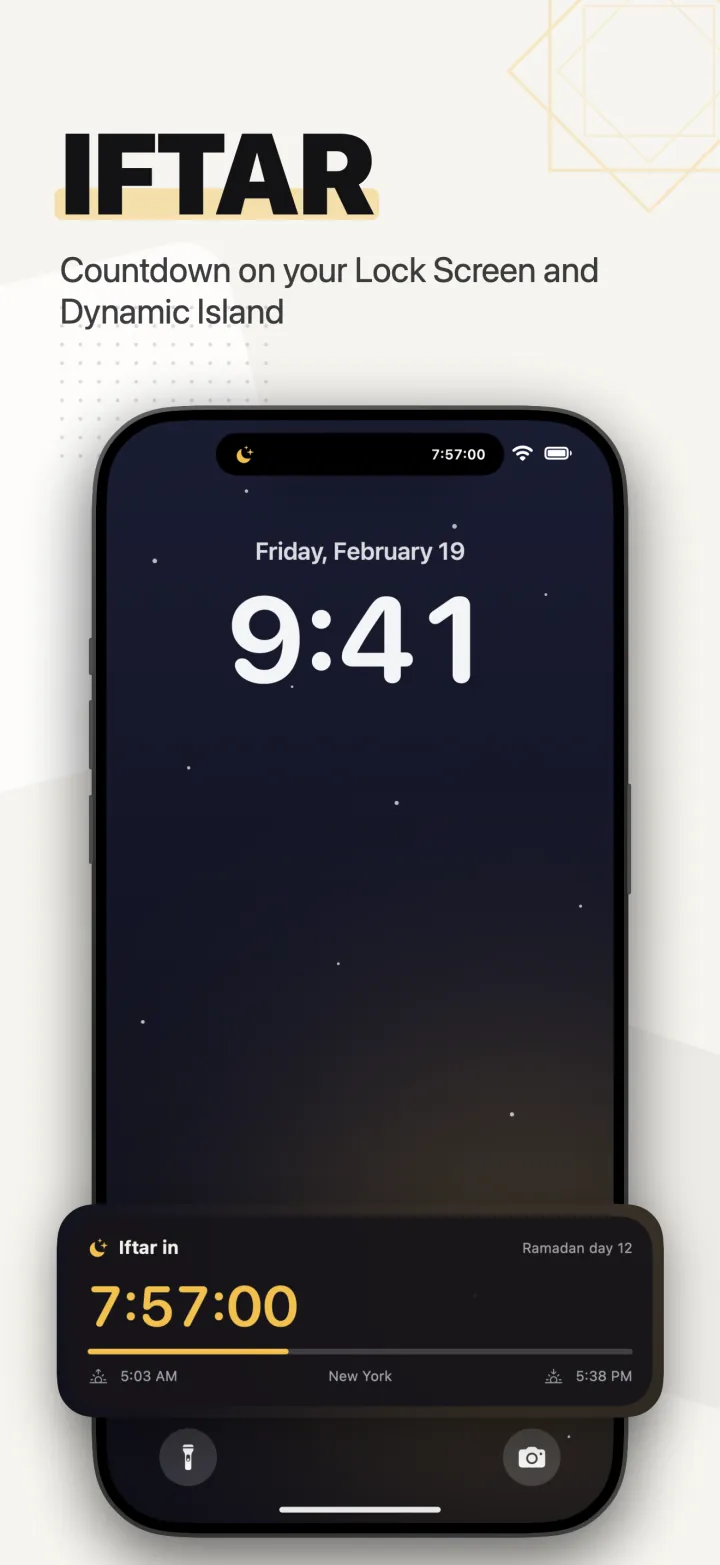
Iftar: countdown on the Lock Screen. iPhone Lock Screen with a Live Activity counting down to iftar during Ramadan
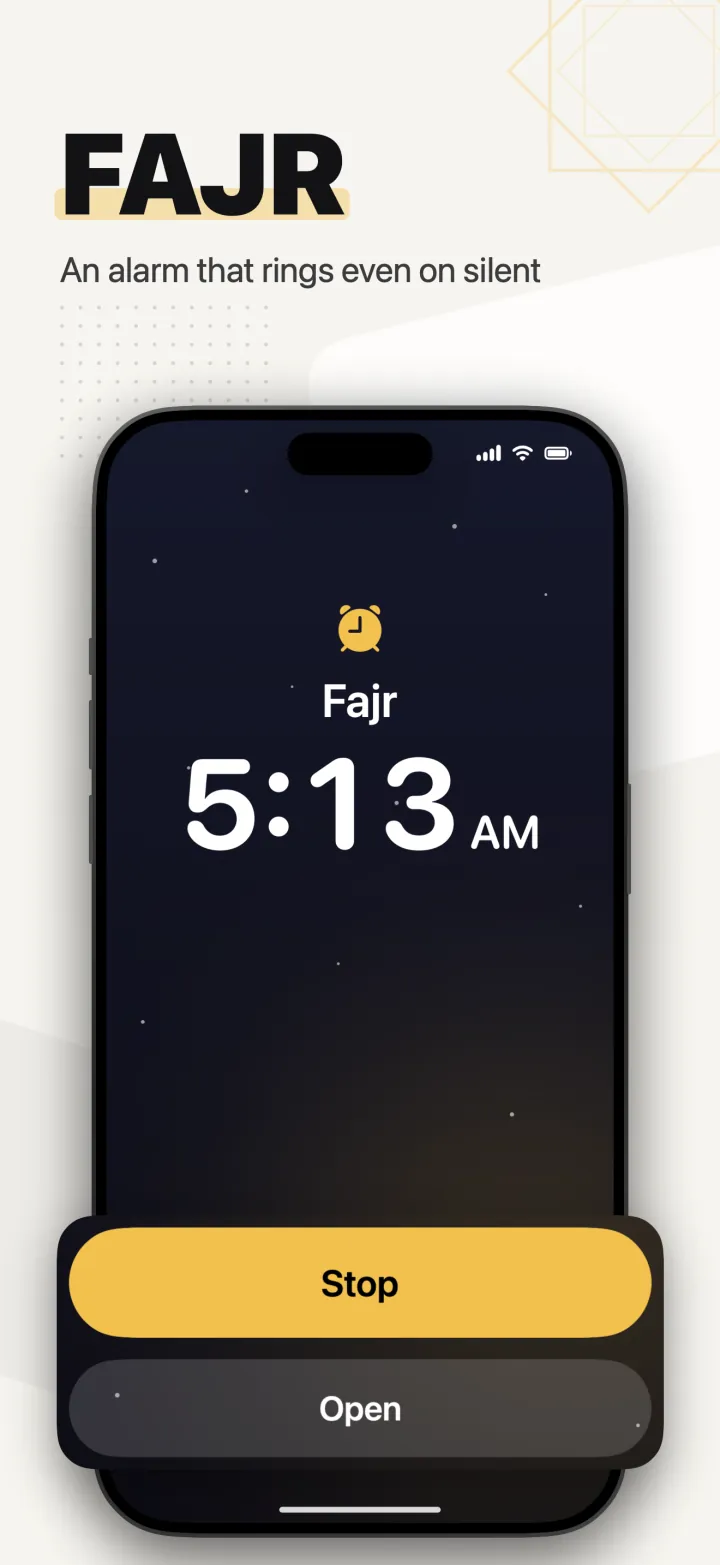
Fajr: an alarm that rings even on silent. Full-screen Fajr alarm on iPhone with Stop and Open buttons
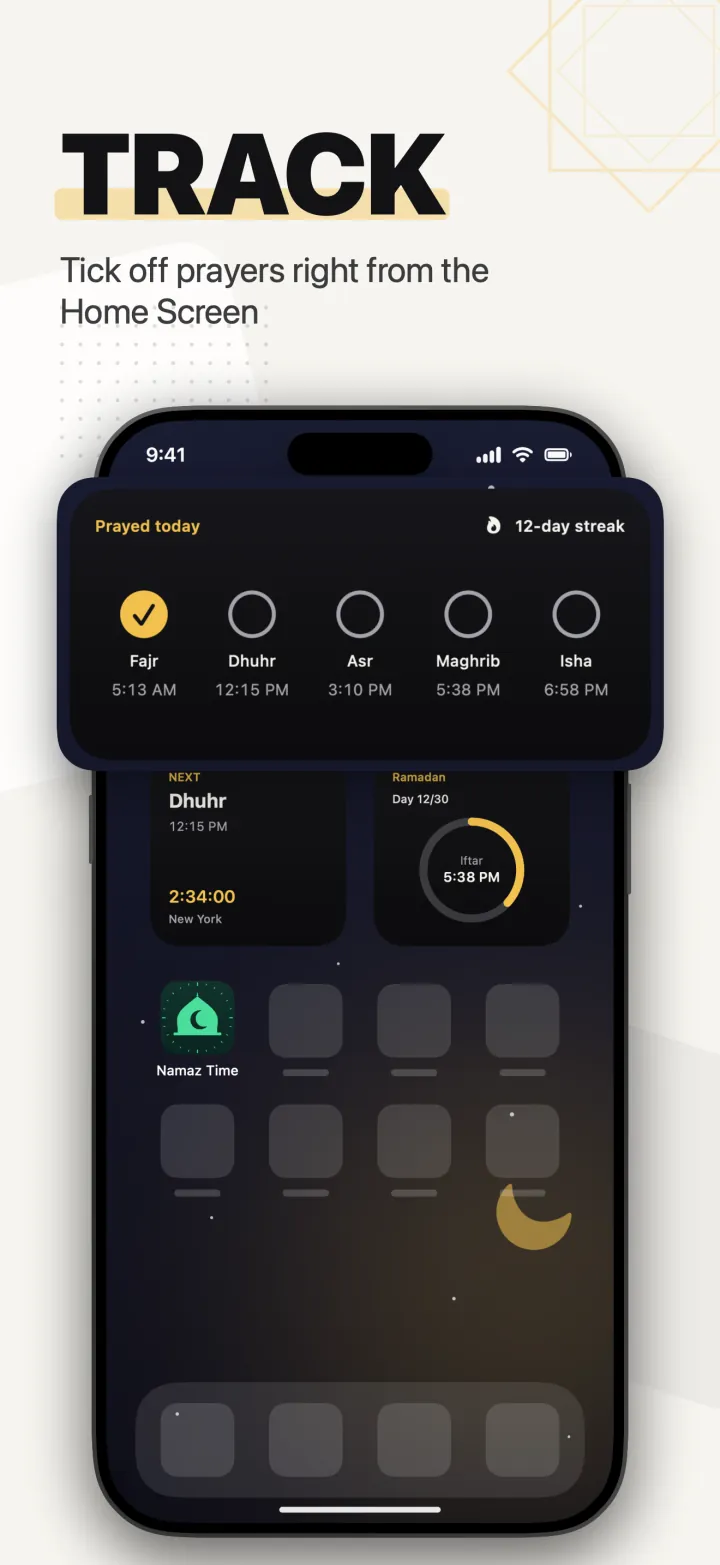
Track: tick off prayers from the Home Screen. Home Screen tracker widget with the five daily prayers to tick off and a streak count
Qibla: direction and distance to Makkah. Qibla compass showing the bearing from true north and the distance to Makkah
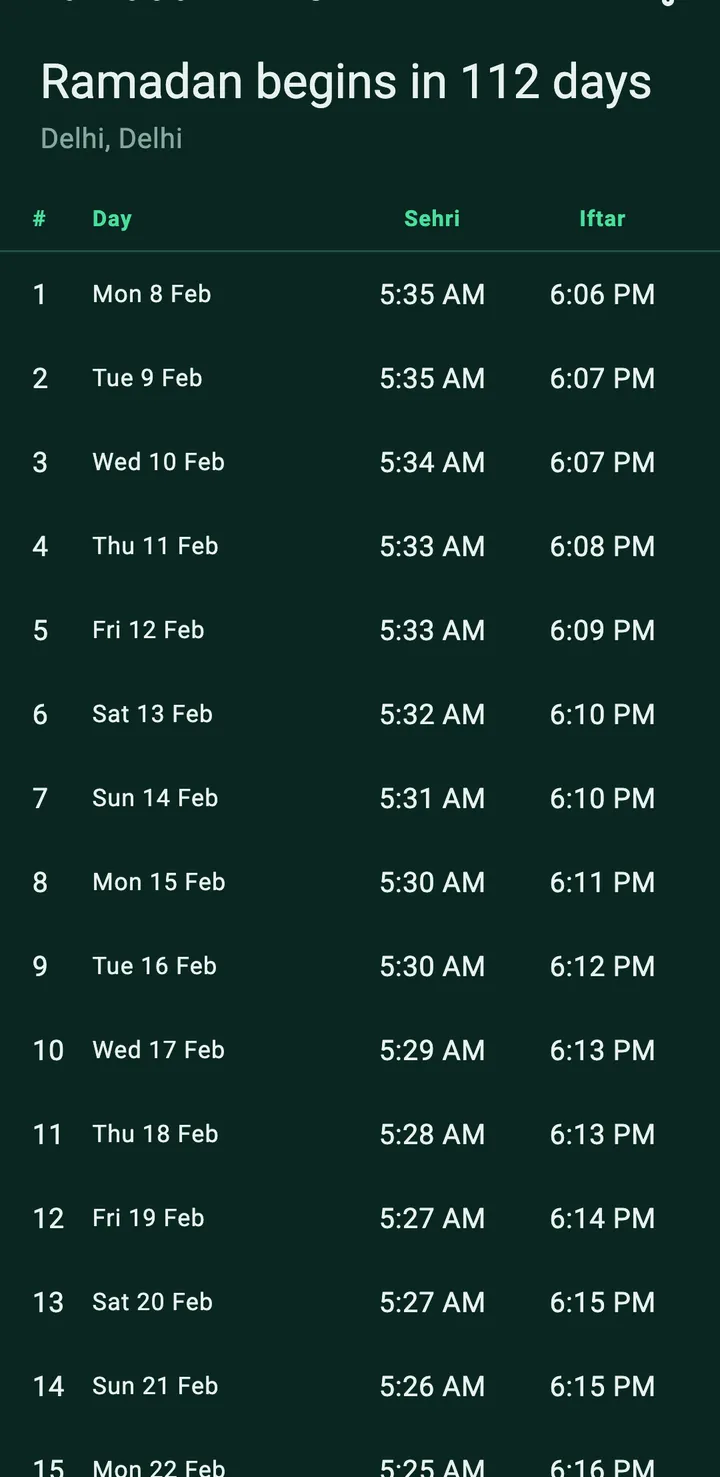
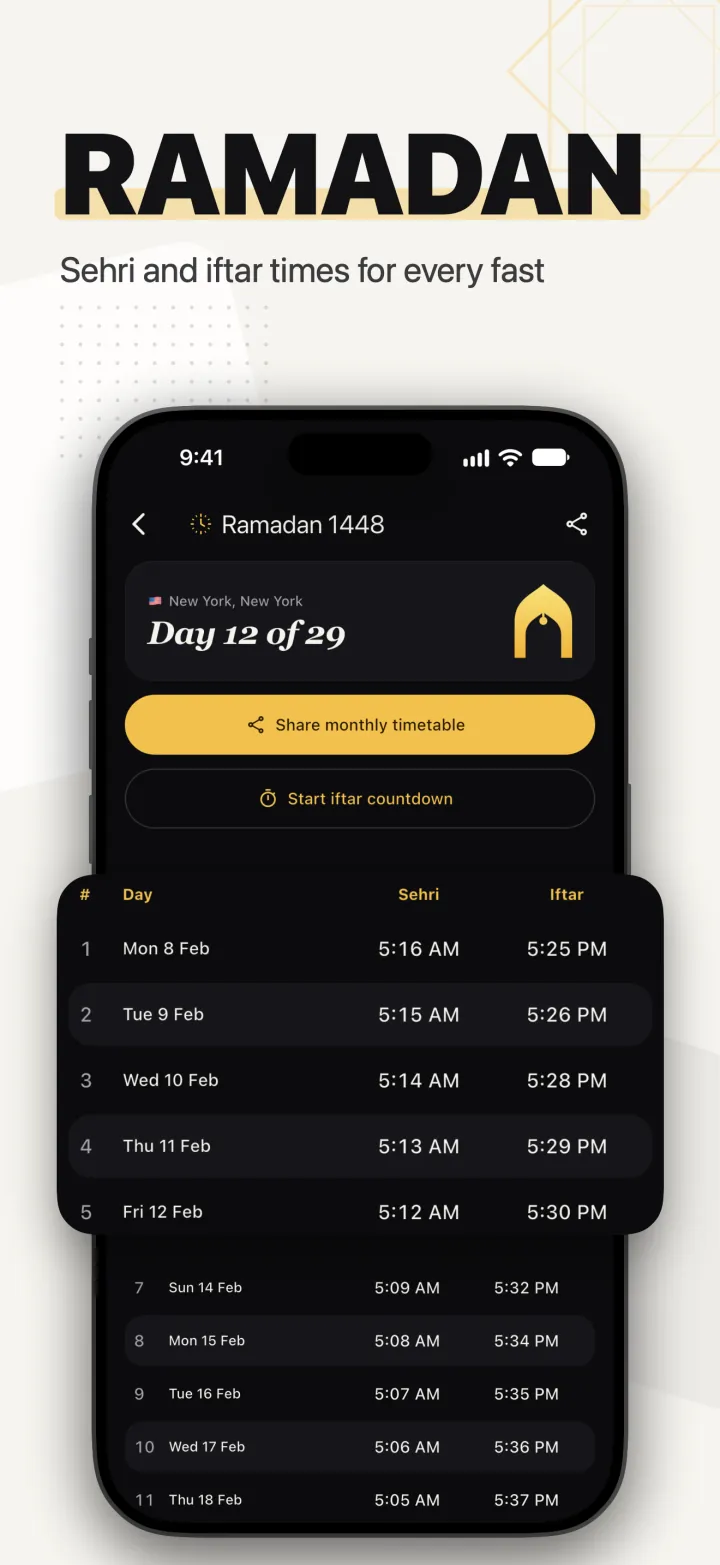
Ramadan: sehri and iftar for every fast. Ramadan 1448 timetable with sehri and iftar times for each day
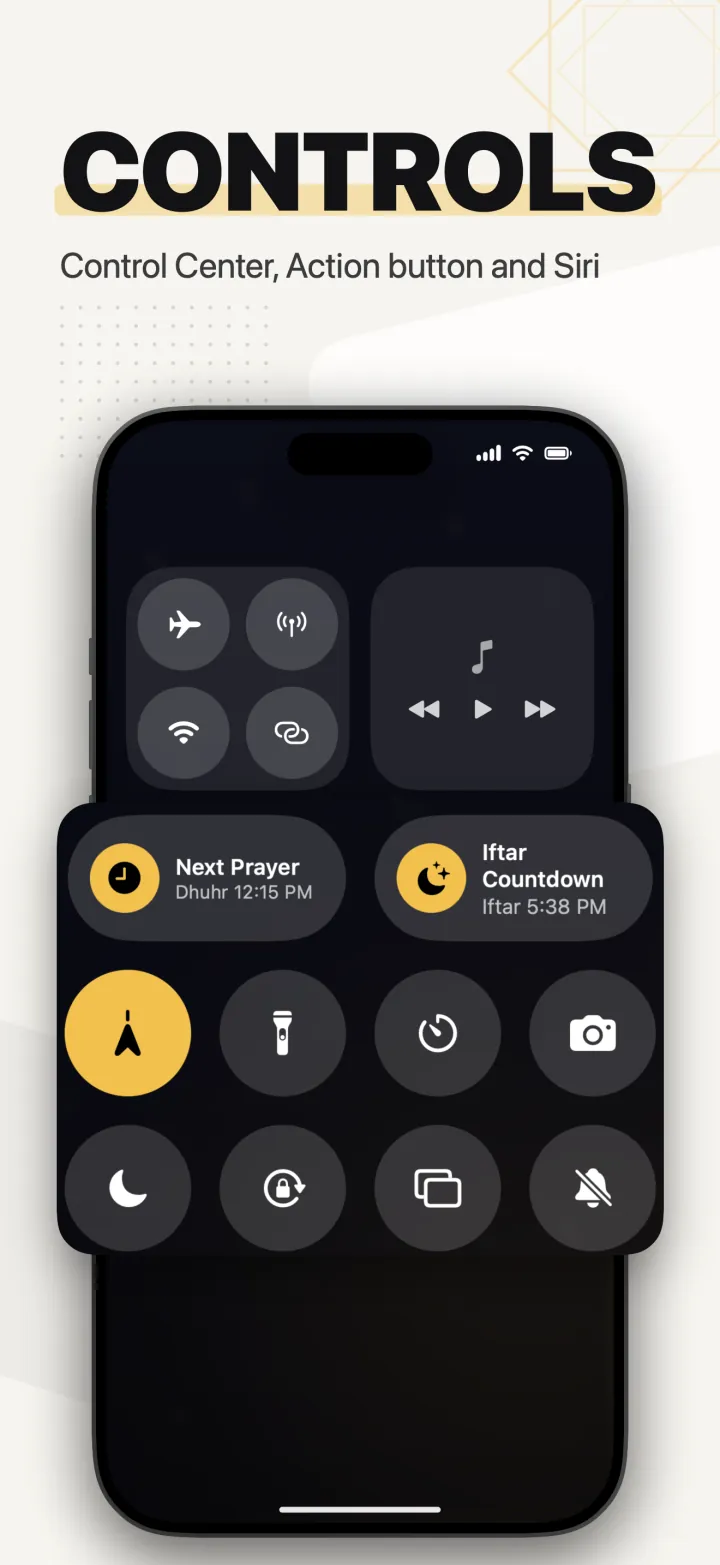
Controls: Control Center, Action button and Siri. Control Center with Namaz Time controls for the next prayer, the iftar countdown and Qibla
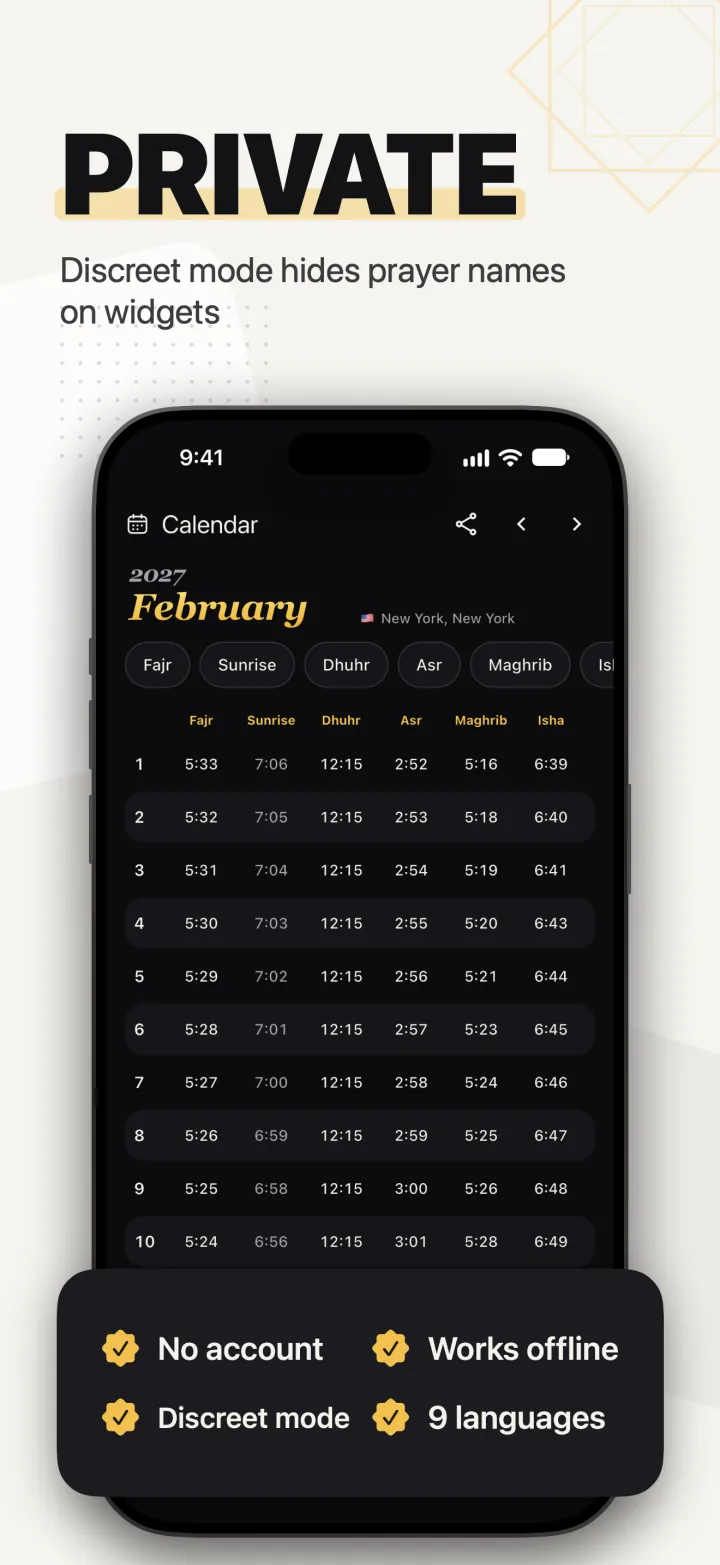
Private: discreet mode for widgets. Monthly prayer calendar with the labels No account, Works offline, Discreet mode and 9 languages

Sehri and iftar on the Lock Screen

A live countdown on the Lock Screen and in the Dynamic Island during Ramadan, plus a Ramadan timetable with sehri and iftar for every fast.

Iftar: countdown on the Lock Screen. iPhone Lock Screen with a Live Activity counting down to iftar during Ramadan

A Fajr alarm that rings on silent

On iOS 26 and later, a real alarm for Fajr or Sehri that rings on silent and through Focus. Off by default; you choose how many minutes before.

Fajr: an alarm that rings even on silent. Full-screen Fajr alarm on iPhone with Stop and Open buttons

Widgets, controls and Siri

Next prayer with a countdown, a tracker to tick off your five prayers from the Home Screen, a Ramadan widget, Control Center and Action button controls, and Siri.

Track: tick off prayers from the Home Screen. Home Screen tracker widget with the five daily prayers to tick off and a streak count

Your prayers stay on your phone

There is no account and no sign-in, because there is no server to sign in to. Prayer times, the Qibla direction and the calendar are all worked out on the device. Your location and your prayer record never leave it.

The app uses the internet to search for a city, to load ads on a few secondary screens, and to send anonymous usage statistics. Ads appear only on secondary screens: a banner in Settings, and native ads at the end of the monthly calendar, the Tools page and the Ramadan timetable, plus an optional support card that plays an ad only when you tap it. There are never ads on the prayer times screen, the Qibla compass, in the prayer room or on the Tasbih counter, and none within 10 minutes of a prayer time. Namaz Time Pro removes all ads.

Read the full privacy policy

Questions people ask first

Is it really free?

Yes. The app is free to use and supported by ads on a few secondary screens. There are no ads in the prayer room, on the Tasbih counter or on the main prayer times screen. Namaz Time Pro is an optional upgrade that removes all ads.

Does it need an internet connection?

Only to search for a city the first time. After that the prayer times, timetable, Qibla, calendar, reminders and widget all work with mobile data switched off. Ads, if you have not bought Pro, need a connection to load.

Will the times match my masjid?

Pick the calculation method used in your region, choose your madhab for Asr, then shift any individual prayer by a minute at a time until the app agrees with the adhan you hear. If a time still looks wrong, tell us. Getting the times right matters more to us than anything else in this app.

Does it track my location?

No. You choose your city yourself, and the app never asks for background location. Nothing about where you are is sent anywhere.

Which languages does it speak?

English, Hindi, Urdu, Bengali, Malayalam, Tamil, Telugu, Bahasa Indonesia and Bahasa Melayu. The app picks a language from your city and you can change it in settings. Urdu is laid out fully right-to-left.

Will it run on my phone?

Android 7.0 and above, which covers almost every phone still in use. The download is small and the app is built to run without lag on entry-level hardware.

Namaz Time is not affiliated with any mosque, religious authority or standards body. Prayer times are calculated values; check them against your local masjid where precision matters.

Five prayers a day deserve the right time

Install it, answer one question about your madhab, and it works from there, offline and without an account.